
Appearance
Trc_Ws_ItemByName
Gets an item of a workspace items object by name.
Function Parameters
Parameter 1
Workspace. E.g. Sales.
Parameter 2
Items objects of the selected workspace. E.g. ItemsProduct.
Parameter 3
Name of the item. E.g. P004.
Parameter 4
Output format of the item.
| Format | Decription |
|---|---|
| Name | Name of the item. E.g. P004. |
| Caption1 till 10 | Caption of the item. E.g. Desktop PC. |
| Attribute | Gets an attribute of the item. After the key word Attribute= the name of the attribute be set. E.g. Attribute=ProductColor |
The different formats can be mixed.
| Format Sample | Output |
|---|---|
| Name (Caption1) | P004 (Desktop PC) |
| Name - Caption1 | P004 - Desktop PC |
| Caption1 (Name) | Desktop PC (P004) |
| Attribute=ProductColor | Blue |
Samples
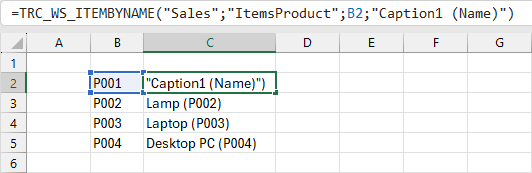
Shows the caption 1 and name of product P004.
=TRC_WS_ITEMBYNAME("Sales";"ItemsProduct";"P004";"Caption1 (Name)")
In this sample function the cell C2 references to the product of cell B2.
Assistant Window
The assistant window can be used to generate a funtion.
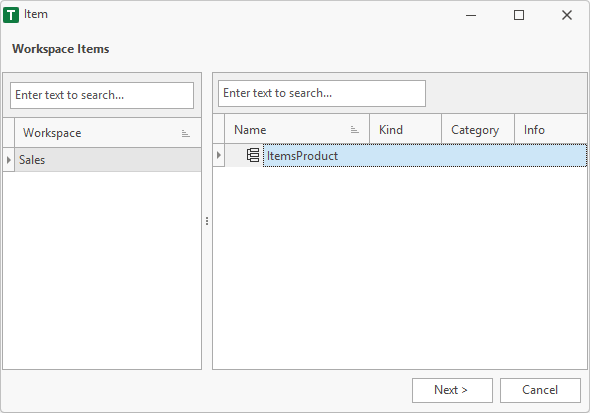
1. Workspace Items
In the left area, the user must select a workspace. In the right area the items objects of the selected workspace are displayed.
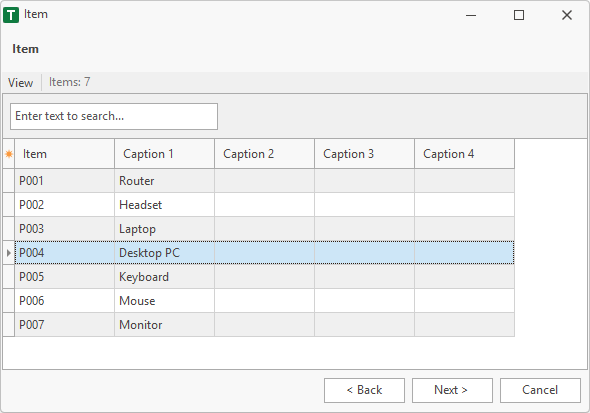
2. Item
Selects an item of the items object.
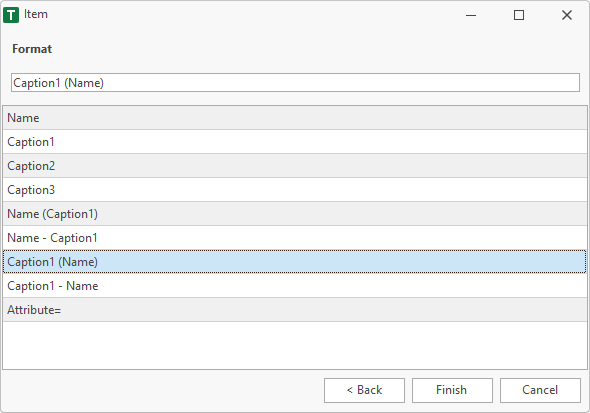
3. Format
Defines the output format of the selected item.
4. Finish
After finish the function is placed in the selected cell of the worksheet.
=TRC_WS_ITEMBYNAME("Sales";"ItemsProduct";"P004";"Caption1 (Name)")